
I know my password, but I can’t login! Do I have to enter my password every time I login?
This is most likely caused by your browser settings if using Google Chrome. To resolve:
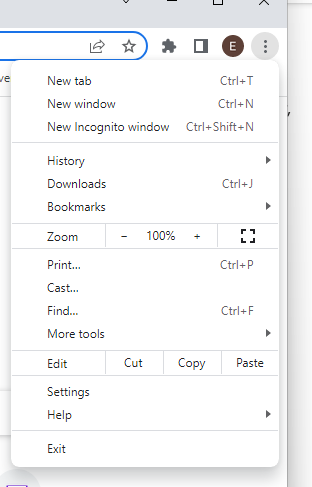
Step 1. Select the 3 dots icon at the top right of the screen. Select Settings.
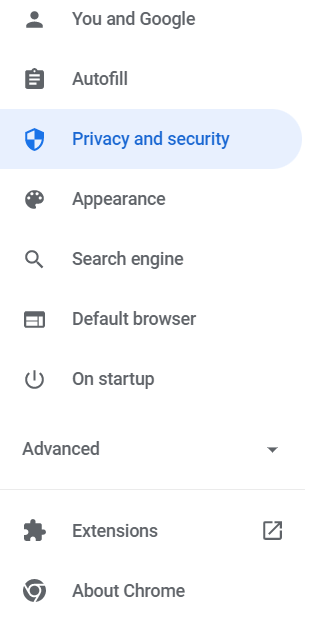
Step 2. Select Privacy and Security on the left.
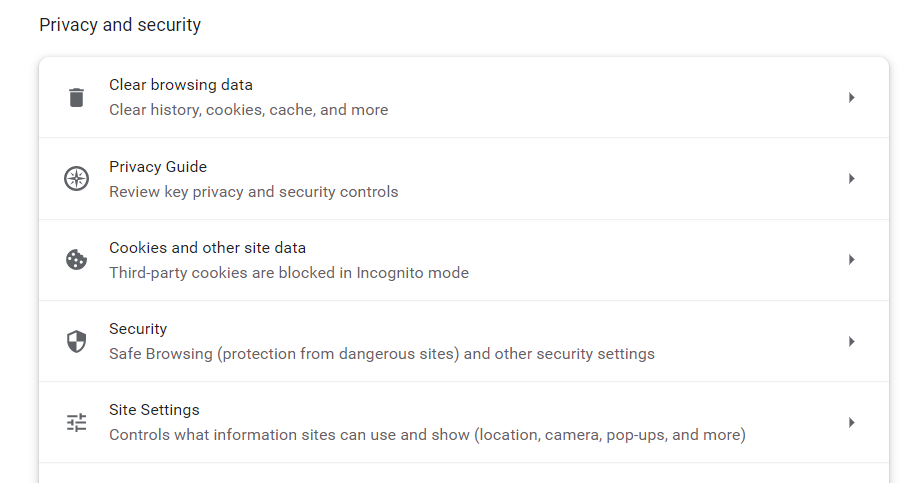
Step 3. Under Clear browsing data, select option to clear cache.
Step 4. Under Cookies and other site data, select option to Allow Cookies.
Step 5. Once complete, you may exit out of settings tab and return to login page. Refresh the page.